Posts

How to enable php imap extension on Amazon Linux 2

Image
How to enable php imap extension on Amazon Linux 2 In this tutorial, we will enable or fix php imap extension on Amazon Linux AMI 2. We will need the tools to compile the module, if you don't have them installed you can do it as follows: sudo yum groupinstall "Development Tools" To install the necessary dependencies we must activate the EPEL repository, if you do not have it activated do the following: sudo amazon-linux-extras install epel yum install epel-release Now we install the dependencies: sudo yum install libc-client-devel uw-imap-static openssl-devel Now we are going to create a symbolic link for the script to find the libc-client library. sudo ln -s /usr/lib64/libc-client.a /usr/lib Then we will download the source code of the version of PHP that you are using from   https://www.php.net/downloads.php cd ~ wget https://www.php.net/distributions/php-7.x.x.tar.gz We go to the directory that corresponds to the extension that we want to compile in this case IMAP, b...

Understanding Linux File System

Image
Understanding Linux File System File System in Linux A Linux file name may have any characters or letters, Maximum length for the filename is 256 characters. The file name can use space, underscore, minus, period, and comma. The filename cannot use question marks, asterisks, and slashes. The file extension is not compulsory. We can create files with file extension or without the file extension. To create a hidden file, start its name with a dot. If the file name has spaces, it needs to be quoted (") before we can access it on command prompt. On the desktop, we can use it without quotes. A file system is a way of organizing files on your partition. Besides file-based storage, file systems usually include directories and access control The Linux file system is classified as,  Local File System consists of popular file systems like, ext2, ext3, ext4. xfs and udf. The remote File system consists of NFS and SAMBA, Ext2 is like a UNIX file system (introduced in 1993), it has the concep...

Virtualization and Linux

Image
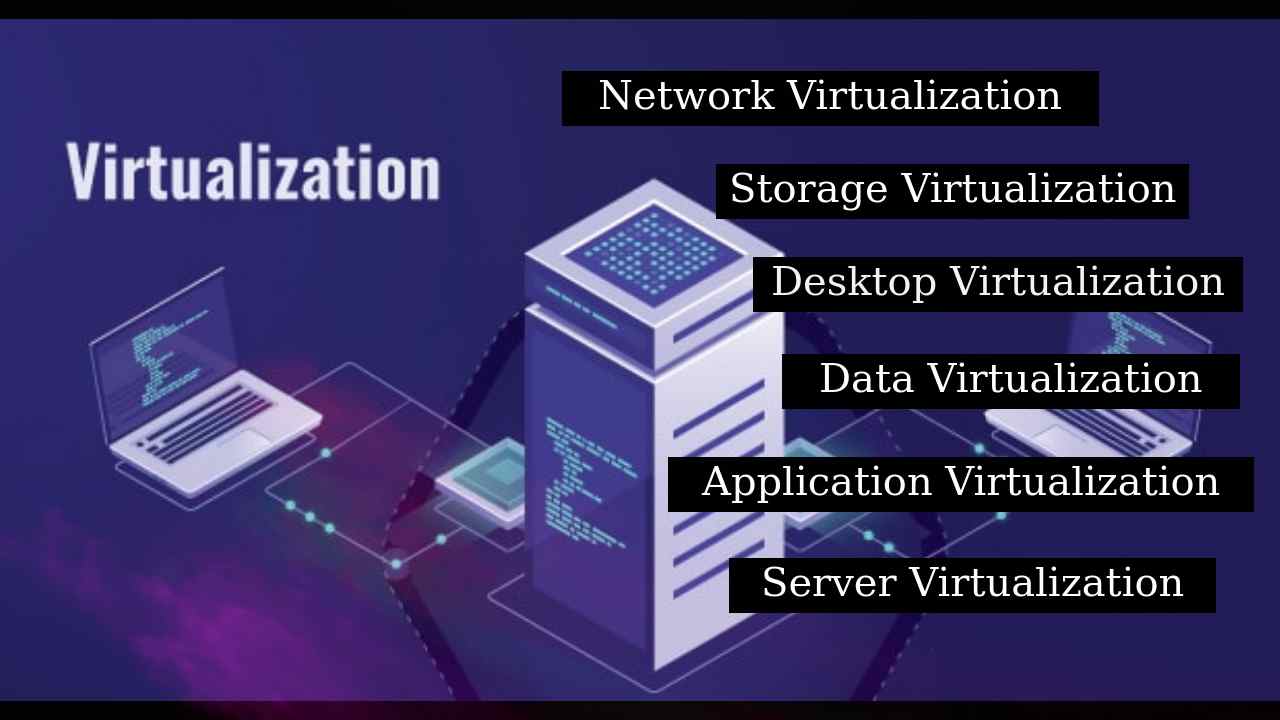
Virtualization and Linux What is Virtualization? Virtualization is an important term in computing which refers to the act of emulating a virtual version of something, be it an operating system, desktop, network or storage. it was originally devised as a method of logically dividing the system resources. The most basic form of virtualization that many are familiar with is creating logical partitions in a hard drive to make separate space for the operating system and user data.  The different types of virtualizations have been briefly mentioned below: Network Virtualization : Through this method, the available bandwidth in a network is split into channels, which can then be assigned to different devices, independent of each other. Storage Virtualization: This method is used to combine physical storage devices from multiple networks into a single virtual storage which can be centrally managed. Server Virtualization: Server Virtualization is used to mask server resources from users ...

Introduction to Ethical Hacking

Image
1. Objective At the end of this blog you will be able to:- Explain the term ethical hacking Describe types of ethical hackers & hackers vs crackers 2. Overview of Ethical Hacking Information Security Companies face various challenges to guard the infrastructure. Corporate network allows internal and external users to use corporate devices or BYOD (Bring Your Own Device). In this kind of environment, there can be multiple applications that can be a threat to the corporate network. Apart from the above challenges, cyber threats have become additional aggressive, complicated and complex challenge. Attackers can be anyone whether it is a discontented worker, cyber terrorists, criminals, crime rings and nation states. The assaults can incorporate digital wrong doing, hacktivism and reconnaissance Hacktivism is the act of hacking, or breaking into a computer system, for a politically or socially motivated purpose. The individual who performs an act of hacktivism is said to be a hacktivis...

FIXED- Ubuntu 18.04 blank screen (no desktop icons) after login | vetechno

Image
FIXED- Ubuntu 18.04 blank screen (no desktop icons) after login Hey guys, you might have faced this problem in Ubuntu 18.04 LTS and Ubuntu 20.04 LTS. This generally happens when your are installing a compiz or updating any software, upgrading software, due to NVIDIA graphics, due to broken packages. I had also faced the same issue when I was trying to install Ubuntu unity desktop on Ubuntu 16.04 LTS. And I got the solution how to fix black screen (no desktop icon) after login Ubuntu 18.04 LTS. So here I'm sharing the solution step by step commands , only you have to just copy and paste the command in the terminal by pressing CTRL+ALT+F1 in desktop area. Below are the Solutions to fix Ubuntu 18.04 blank screen (no desktop icons) after login :- Solution 1: Ubuntu 18.04 desktop icons not showing See if this works for you or not First, open terminal by CTRL+ALT+F1 sudo dpkg --configure -a sudo apt-get update sudo apt-get upgrade -y sudo reboot Now restart your Ubuntu machine, and then...

[SOLVED] Installing wi-fi dongle make fails RTL8188EUS_linux_v4.1.4_6773.20130222

Image
600M Wireless-N Mini USB Adapter Model no:- NANO TT-W802M 600M Wireless-N Mini USB Adapter Model no:- NANO TT-W802M Hey guys, Today in this blog I'm going to share you how you can easily install wi-fi dongle of  Technotech 802.11N . In windows it is easy to install wi-fi driver but in Linux distribution like Ubuntu it is more difficult to install because of wrong packages. I have tested this (600M Wireless-N Mini USB Adapter) wi-fi adapter in Ubuntu 16.04, Ubuntu 18.04  and Ubuntu 20.04. And they are working fine. So now it's your turn to install the driver on Ubuntu machine. Feature Of Wireless-N Mini USB Adapter * MIMO Technology-enhanced 600Mbps Wireless data transmission rate * Support with 64/128-bit WEP, WPA & WPA2-PSK wireless security * Infrastructure & Ad-Hoc Operation mode * USB 2.0 High speed interface * Bundled utility helps simple configuration and easy monitoring * Supported OS: Windows 10 32-bit & 64-bit, Windows 8.1 32-bit & 64-bit, Ubuntu 16.0...

Download, install and activate Microsoft Office 2019 for FREE legally

Image
Download, install and activate Microsoft Office 2019 for FREE legally Office 2019 is the latest and current version of Microsoft which was introduced in 2019 . MS office 2019 has advanced features as compared to previous. Talking about the edition it was released in two edition that is Standard and Professional Plus.The Standard edition includes: PowerPoint, Word, Outlook, Excel and Publisher. Additionally, the Professional Plus edition includes Access and more advanced features than the Standard edition, for example: Exchange Data Loss Prevention, and  Archive email right from Outlook Scan spreadsheets for errors and inconsistencies with Inquire in Excel & Power Pivot Integration with Windows Rights Management Services (RMS) for Windows Server Site mailboxes: Access project-related email in Exchange and documents in SharePoint, all from within Outlook and many more. Also Read:-   Download, install and activate Microsoft Office 2019 for FREE legally Also Read:- How to act...