Posts

Showing posts with the label AWS

Fixed - Tomcat not generating catalina.out log on Amazon Linux 2 | vetechno

Find the below command to fix Tomcat not generating catalina.out log on Amazon Linux 2 Step1. Create a file in location /etc/rsyslog.d/tomcat.conf Step2. put below command into the tomcat.conf programname, contains, "server" /var/log/tomcat/catalina.out programname, contains, "server" ~ Step3. Now restart the rsyslog service systemctl restart rsyslog.service Now check the catalina.out log file  Let us know if you are still facing an issue in the comment box.
How to download files and folder from s3 bucket using command line

Image
How to download files and folder from s3 bucket using command line It is very easy to download files and folder from s3 bucket using command line in windows, mac and Ubuntu. AWS Command Line Interface (AWS CLI)  will help you to download the file and folder from AWS S3 bucket. For more details you can go to official website Install aws cli on windows Step1. Go to link and download .msi file  Step2. Run the downloaded MSI installer or the setup file. Step3. Now follow the on-screen instructions. By default, the AWS CLI version 1 installs to C:\Program Files\Amazon\AWSCLI . Step4. To confirm the installation,  open the cmd and put below command C:\Program Files\Amazon\AWSCLI> aws --version aws-cli/1.7.24 Python/2.7.9 Windows/8 Step5. We’ve only installed AWS CLI on your PC. To be able to connect to your AWS account, you’ll need one more step. Note:- To get AWS Access and Secret key, visit to AWS console. C:\Program Files\Amazon\AWSCLI> aws configure AWS Access Key...

FIXED - CAfile: C:\xampp\apache\bin\curl-ca-bundle.crt | vetechno

Image
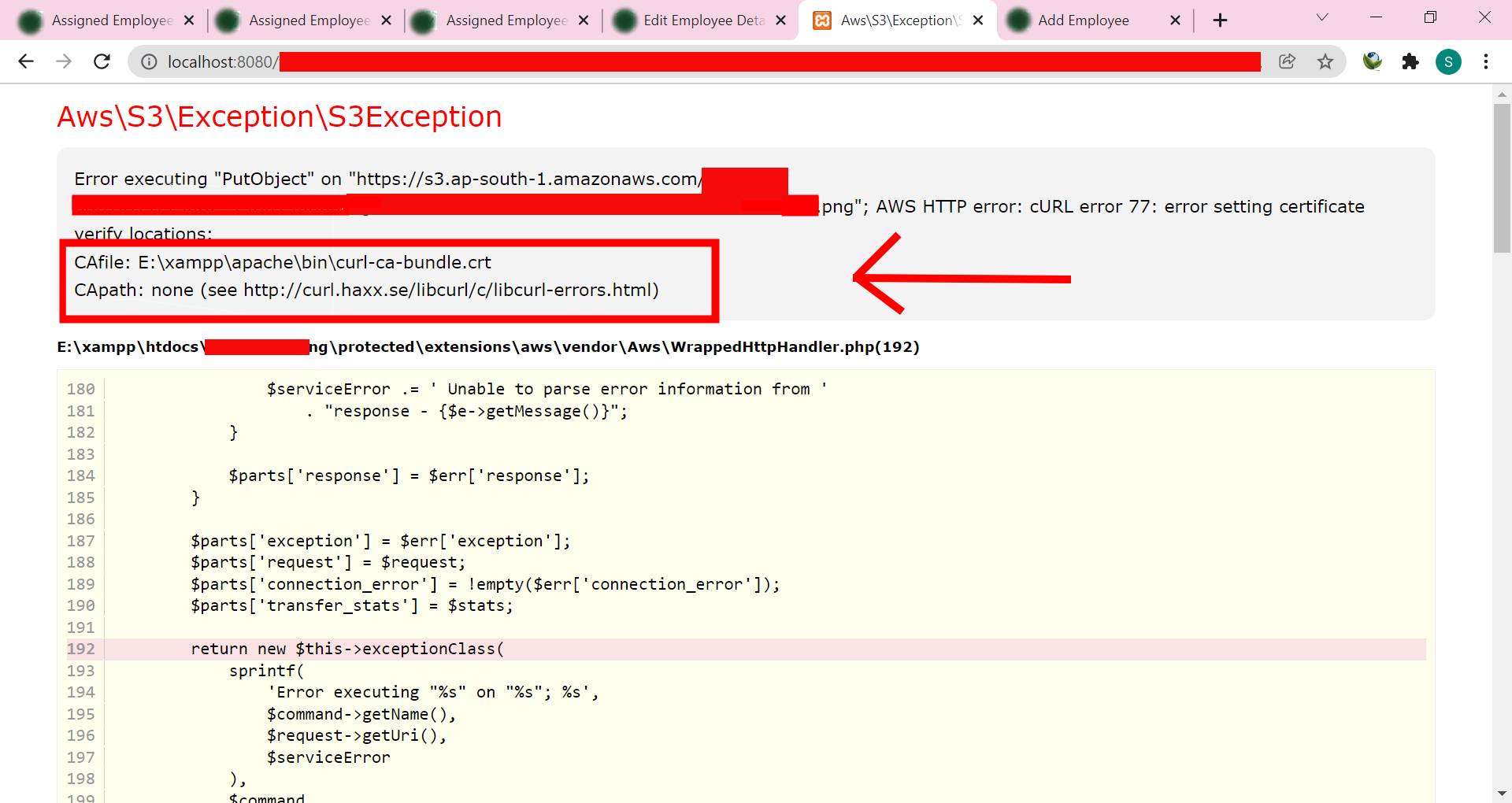
FIXED - CAfile: C:\xampp\apache\bin\curl-ca-bundle.crt | vetechno In this blog post we will fix CAfile: C:\xampp\apache\bin\curl-ca-bundle.crt error setting certificate in Windows 10 Xampp server. This error generally comes when you don't have valid CA certificates or missing curl-ca-bundle.crt file in Xampp server for connecting with s3 bucket in AWS. How to Fix Xampp - missing apache\bin\curl-ca-bundle.crt file ? Step1. Stop your Xampp Server. Step2. Download this file and rename the downloaded "cacert.pem"  file to "curl-ca-bundle.crt" and move it to the " C:\xampp\apache\bin\ " folder inside the XAMPP installation directory. Note:- Your Xampp installation directory may be different. Step4. Now restart Xampp server and check the same. If above file will not work then try to download latest caert certificate from: * https://curl.haxx.se/docs/caextract.html * https://curl.se/docs/caextract.html * https://curl.se/docs/sslcerts.html Conclusion:-...